 Communicator
Business calling
A full business phone in your app. Hold, transfer, park or add someone with a click, and take the call to another device when you need to move.
Bring your people, conversations and customers together. Make calls, host meetings, send messages and manage customer interactions, all from one familiar workspace.
Available on desktop, web and mobile.
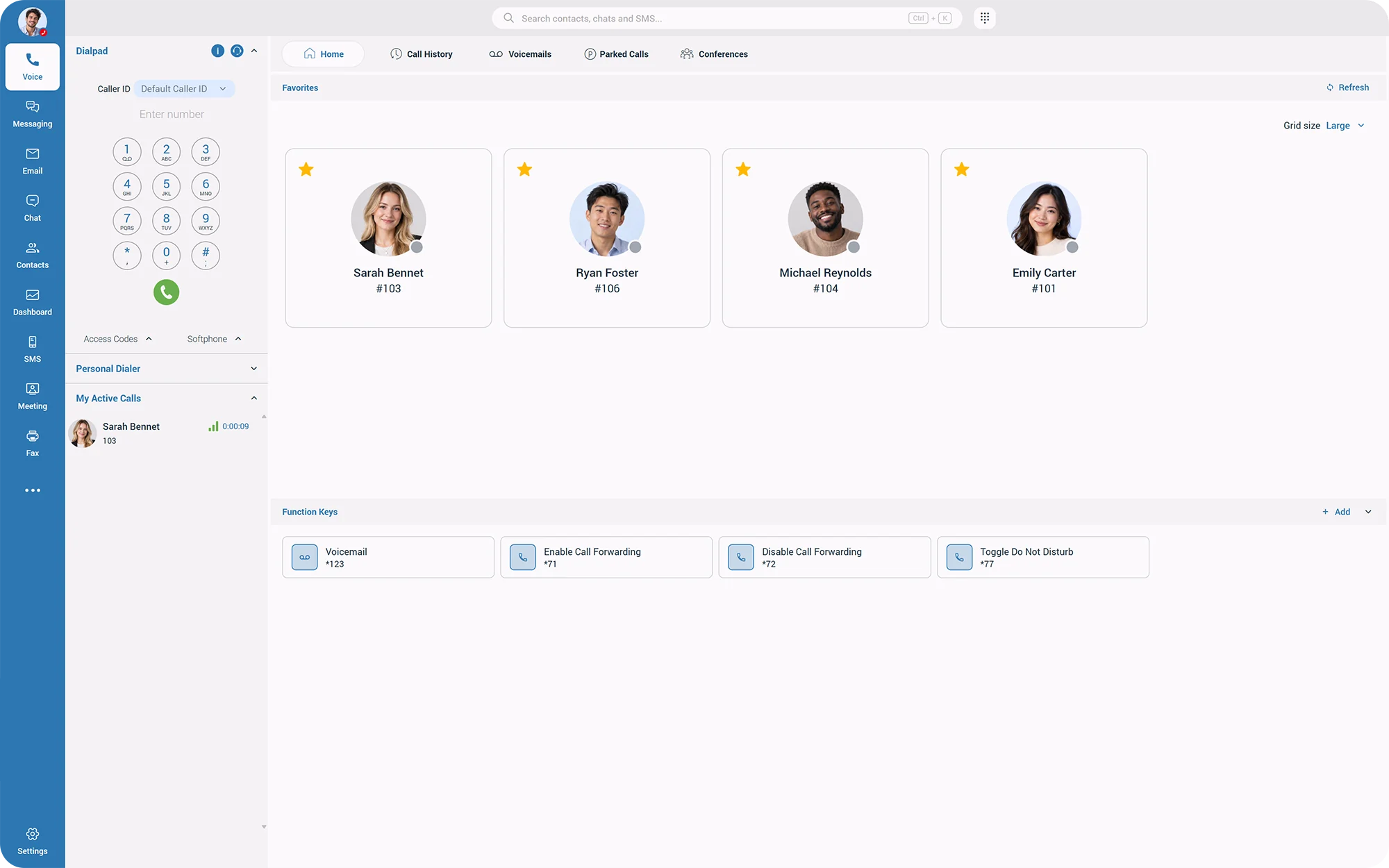
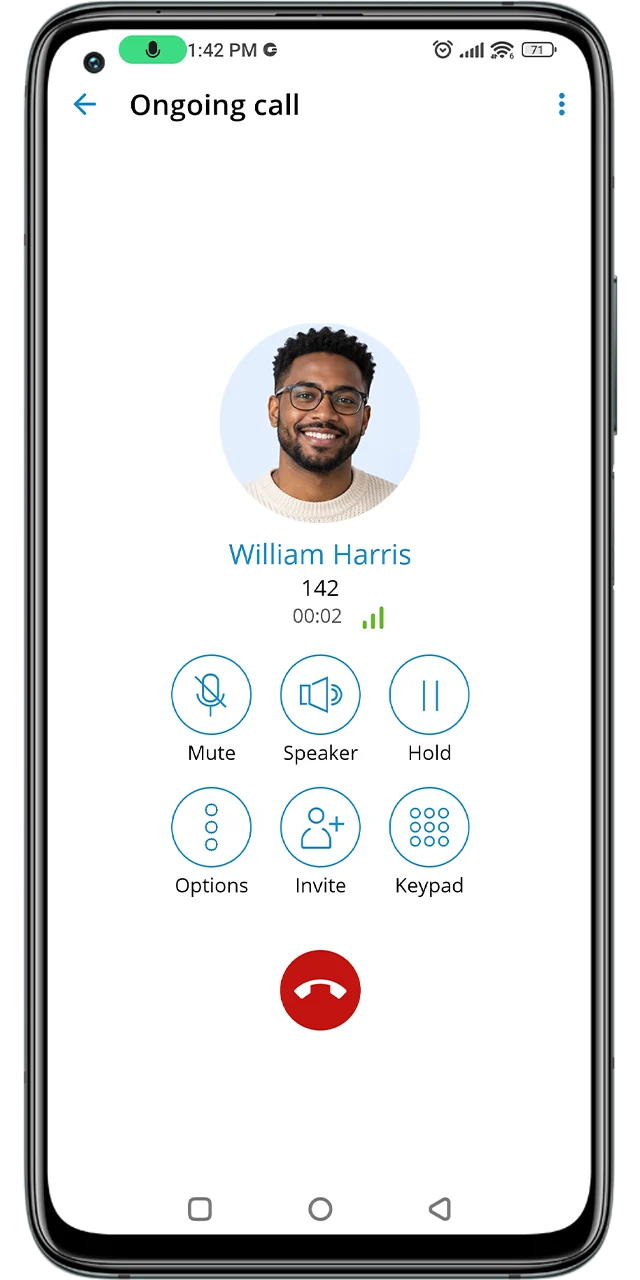
Calls, meetings, messages and customer details sit side by side, so the next step is always one click away.
A full business phone in your app. Hold, transfer, park or add someone with a click, and take the call to another device when you need to move.
Face to face in a click, with screen sharing and guests who join from their browser.

Quick answers without a meeting. Chat one-to-one or in groups, and share files in the thread.
 Can someone take the Bike Shop callback?
Reply to customers by text and email from the same app you use for calls.
 WhatsApp & Messenger Contact Center
See who's free before you call, and let others know when you're focused.



The customer's record opens with the call, and your activity logs back on its own.
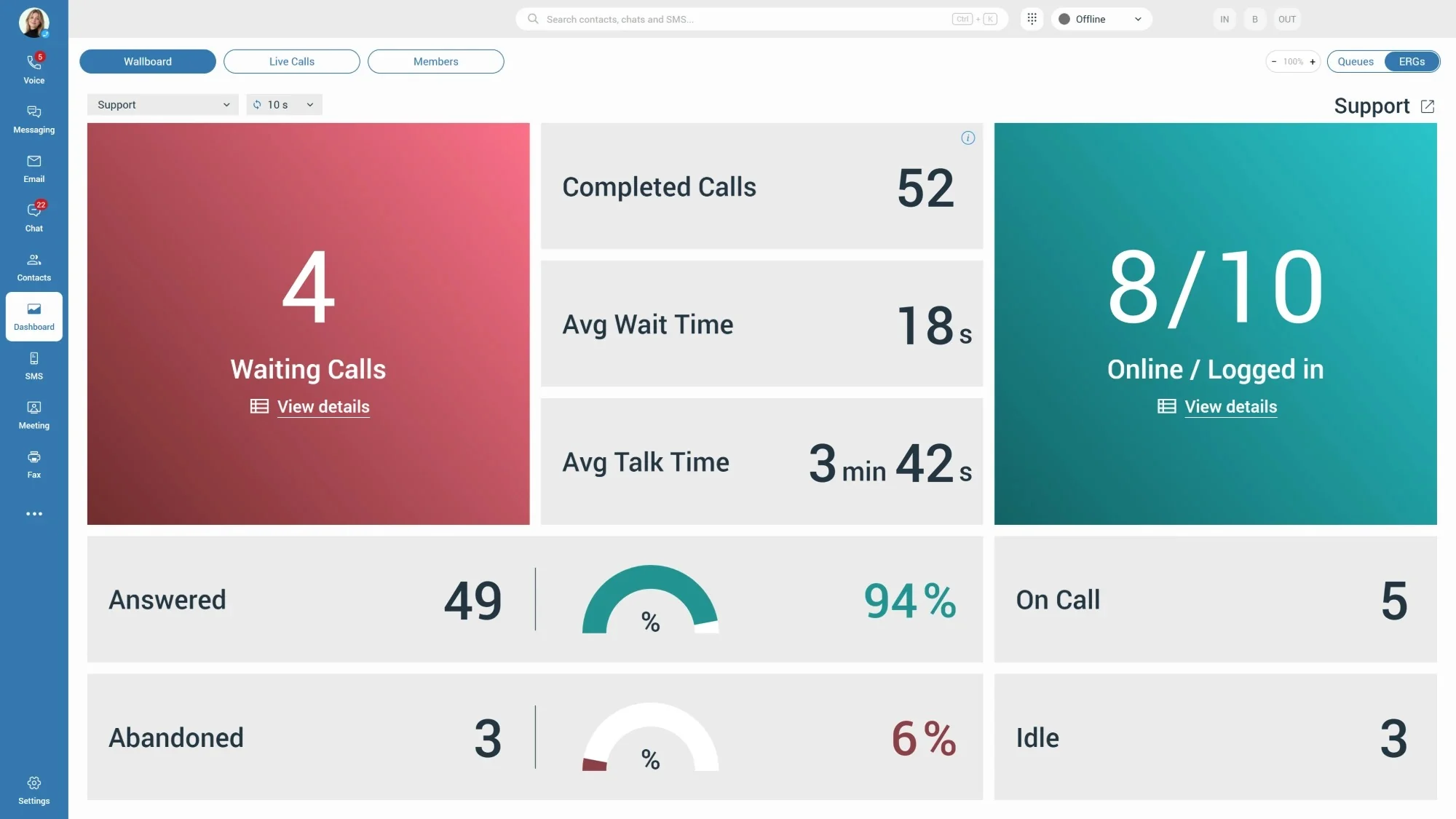
Queues, live wallboards and team performance, built into the same app your agents already use.
Colleagues and customers in one list, synced from your phone system, Google and Apple accounts.

Connect your favorite AI assistant and catch up on chats, calls and missed conversations, simply by asking.
Your business number follows you. Pick up at your desk, carry on from the car, and wrap up on your laptop at home, without the caller noticing a thing.
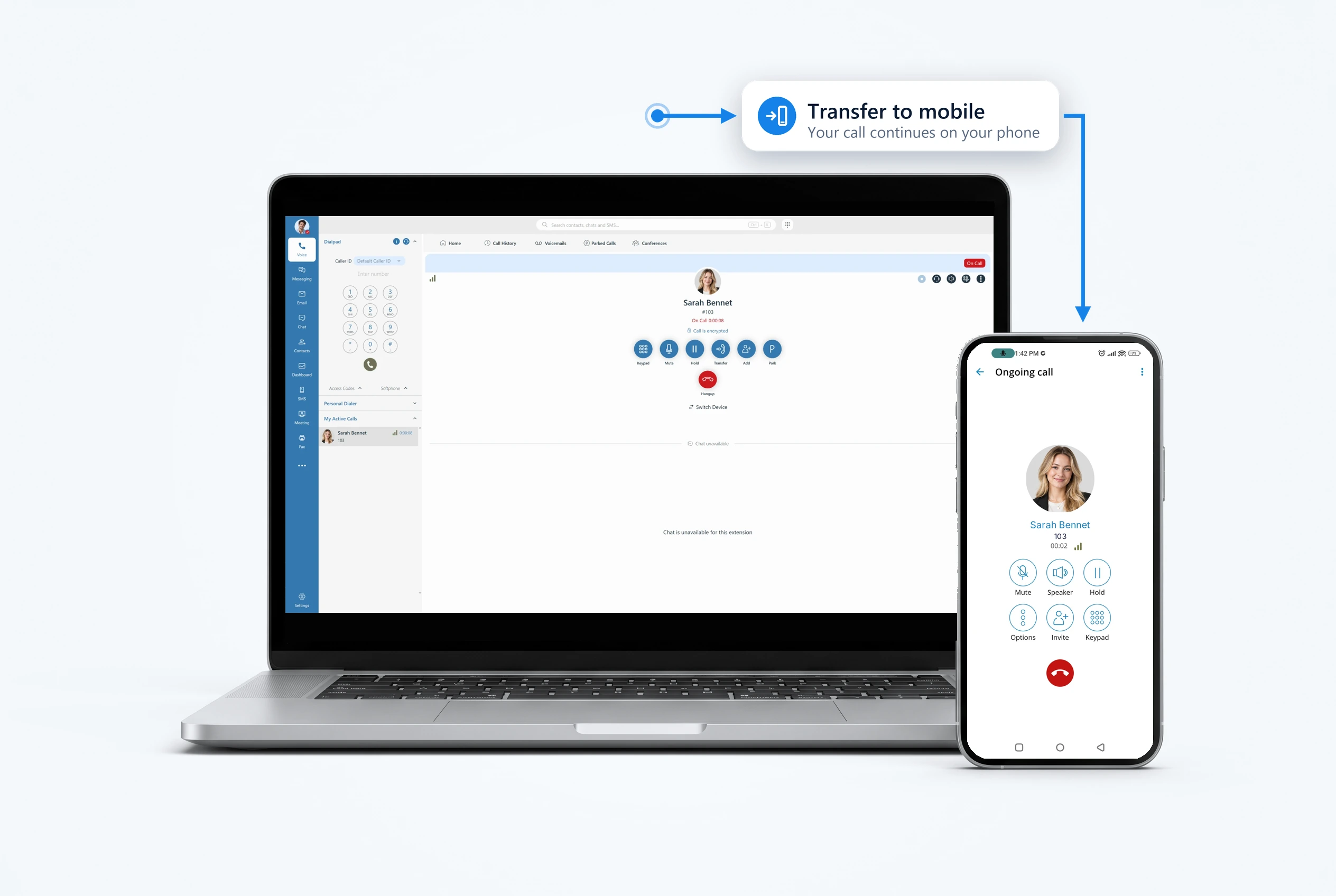
Move a live call between desktop and mobile in a tap.
Drag and drop a caller to the right colleague.
Use the app as your phone, or control the desk phone you already have.
Bring more people into the conversation with one click.
Every call in one place, ready to return or review.
See who left a message and play it in any order.
Your most important people, one click away.
Forwarding, do not disturb and more, ready on a single key.
Talk to your team and your customers from the same place. No more jumping between a chat app, a texting tool and your inbox to keep a conversation going.
Keep projects moving with quick chats and group threads.
Answer texts and emails from your business identity, next to their call history.
Route customer conversations to the right agents, with every channel in one history.
WhatsApp Facebook MessengerLive chatEmailSMS
Turn a chat or a call into a face-to-face meeting in seconds. Invite colleagues, partners or customers, even if they've never installed the app.

Clear, natural conversations that feel like being in the room.
Walk everyone through a document, a design or a dashboard.
Join by voice when video isn't practical.
Send a link. Partners and customers join without installing anything.
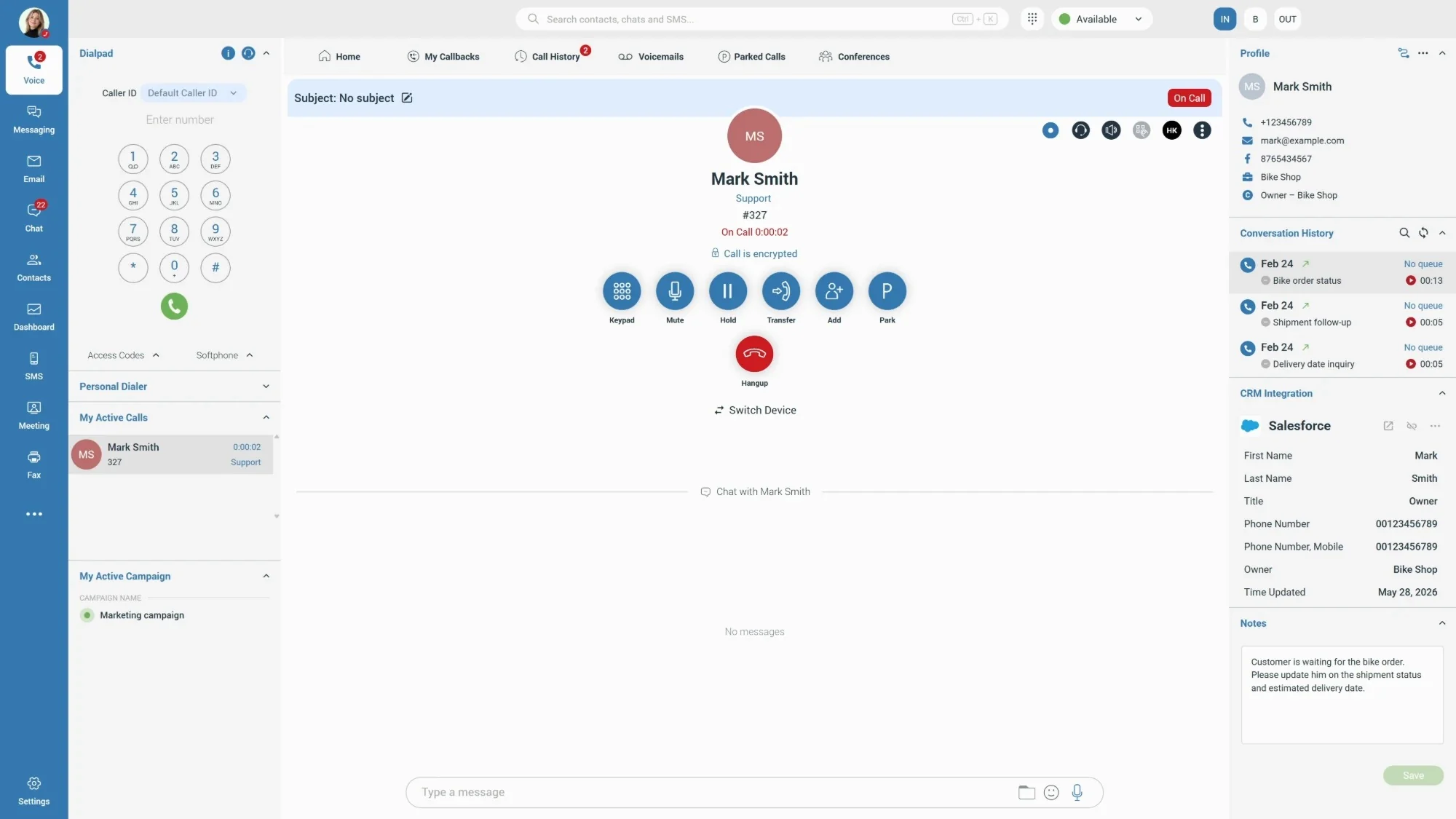
Greet every customer by name, with their history in front of you, and never copy call notes into another system again.
Connect more than one CRM to the same communication system. Sales can work in one platform while Support or Finance uses another, and everyone still shares one phone system, one directory and one workspace.


 Salesforce
 HubSpot
 Zoho CRMZendeskMS Dynamics 365
 Odoo
 Pipedrive
 SugarCRM
 SuiteCRM
 Vtiger
 Bullhorn
Available capabilities vary by CRM. Ask your provider which integrations are enabled for your account.
Connect Claude or another compatible AI assistant to Communicator. Find information, summarize conversations and catch up on what you've missed, simply by asking.
Summarize conversations and get up to speed without reading entire chat threads.
Search your messages with precision, using everyday language.
See which calls you missed and where a follow-up is due after time away.
Draft relevant follow-up messages based on previous conversations.
Powered by Model Context Protocol (MCP). Requires a compatible AI assistant, such as Claude. Example conversations are illustrative.
I'm about to follow up with Mark Smith. Can you catch me up on our recent conversations?
Used Communicator integration
Here's a quick summary of your recent conversations with Mark Smith:
Suggested next step: Follow up with a shipping update and the expected delivery date.
Would you like me to draft a message?
What calls did I miss this week?
Used Communicator integration
You missed 3 calls this week:
Follow-up opportunity: Mark is still waiting for an estimated delivery date on his bike order, so he's a good one to call back first.
Find the conversation where Emma Smith mentioned the release notes.
Used Communicator integration
Found it, in your chat with Emma Smith (ext. 205).
Topic: Version 8 release notes
Want me to summarize the full conversation?
Grow from a busy front desk to a full contact center without bringing in a separate application. Agents and supervisors work in the same app as everyone else.
Agents see the whole story before they answer, so customers never have to repeat themselves.
Supervisors watch queues in real time and help agents before a busy hour turns into long waits.
Contact Center capabilities are available when activated with the appropriate license and system configuration. Available features depend on the license level.
The same familiar app at your desk, in your browser and in your pocket, so you can pick up right where you left off.
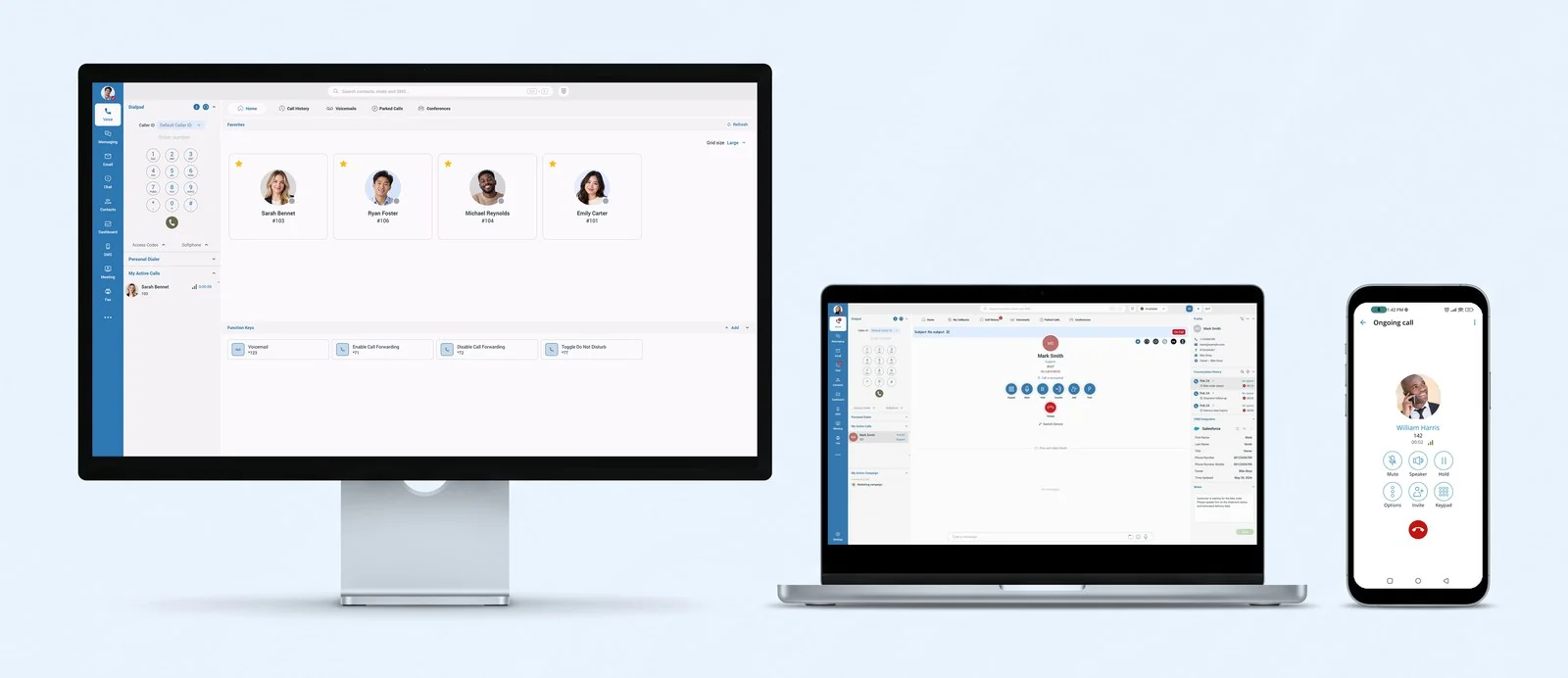
Windows, macOS and Linux
Modern web browsers, nothing to install
iOS and Android
Bring the power of Communicator into Microsoft Teams.
Available features can vary by platform.
Spend less time switching between applications and searching for information.
Respond faster and make every interaction more personal.
Connect departments, remote employees and offices in one shared space.
Add meetings, integrations or a contact center as your business needs them.
Stay reachable on your business number at the office, at home or on the road.
Decide when you're available and who can reach you, and keep your workspace secure.
Communicator is a business communication app that brings calls, video meetings, team chat, customer messaging and CRM details together in one workspace on desktop, web and mobile.
There are desktop apps for Windows, macOS and Linux, mobile apps for iOS and Android, and a web version that runs in modern browsers.
Yes. Sign in on your computer, browser and phone. Your contacts and chat history stay in sync, and you can move an active call from one device to another.
Communicator works with popular CRMs including Salesforce, HubSpot, Zoho CRM, Zendesk, Microsoft Dynamics 365 and Pipedrive. Available capabilities vary by CRM, so check with your provider which integrations are enabled for you.
Yes. Several CRMs can be connected to the same communication system, so each team can keep the platform it already uses.
Yes. With the right license and configuration, Communicator adds queues, wallboards, live monitoring and reporting for agents and supervisors inside the same app.
Yes. Guests can join a meeting from a link in their web browser, with nothing to download.
Bring your people, customers and conversations together with one powerful communication workspace.
Feature availability may vary depending on licensing, system configuration and service provider.